In development
A tour of the AI property manager
A working version of the property manager, still in development, shown on made-up demo data. The optional AI helper is switched off, so none of these screens use AI.
Every screen on this page was captured on October 8, 2026 from the app running on demo data: invented names, addresses and numbers. No real person or business appears, and nothing was sent to anyone. On a phone, the wider staff tables scroll sideways, so some columns sit off screen in the narrow pictures.
What a resident sees
-
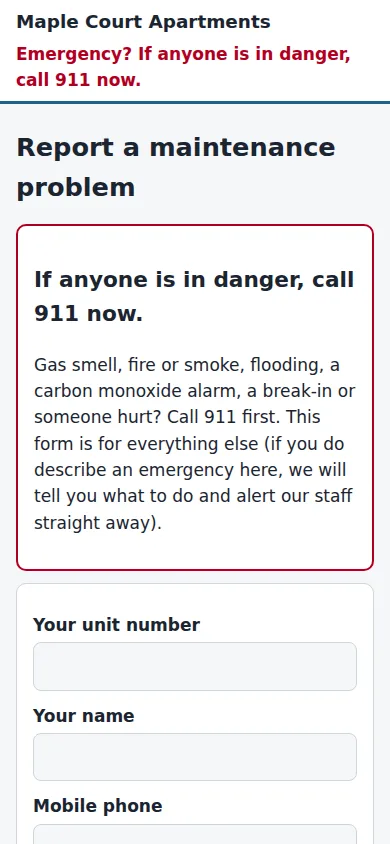
The resident's request form opens with a notice to call 911 if anyone is in danger. It then asks for a unit number, name, phone and email. -
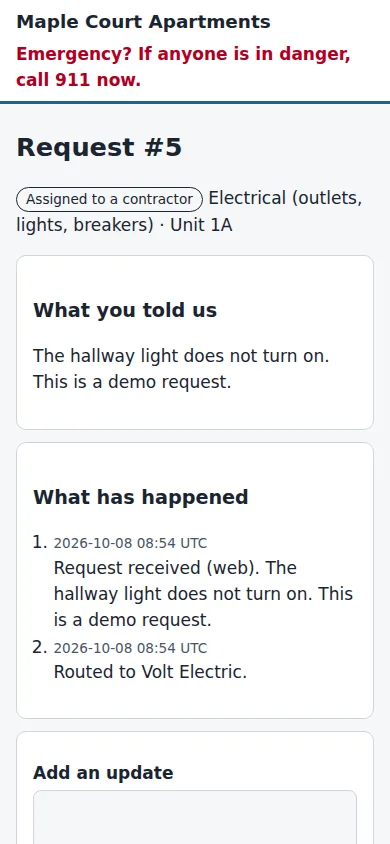
After sending, the resident sees a page for that request: what they told us, what has happened so far, and a box to add an update.


What staff see
-
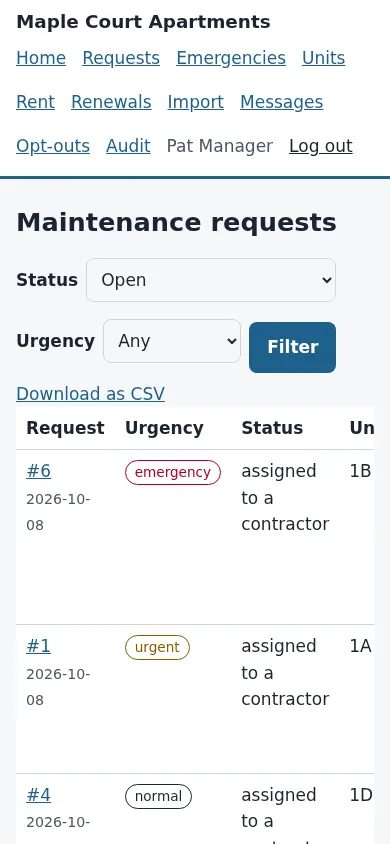
Staff see a list of maintenance requests with an urgency label, status, unit, who reported it and the problem, with filters for status and urgency. -
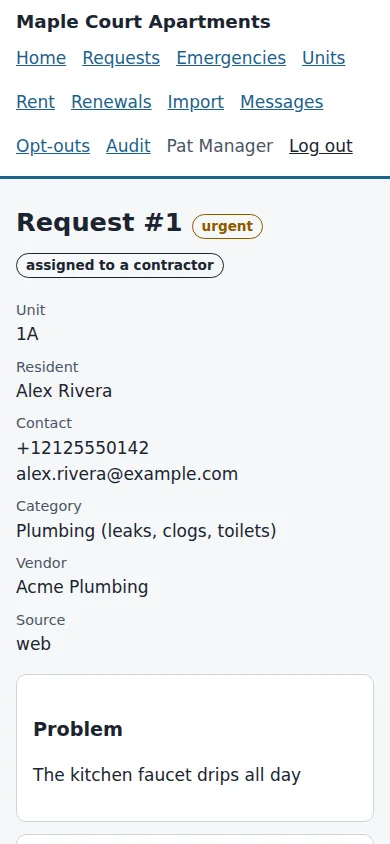
A request's detail page shows the unit, resident, category, assigned vendor and the problem as written, with a timeline of what happened. -
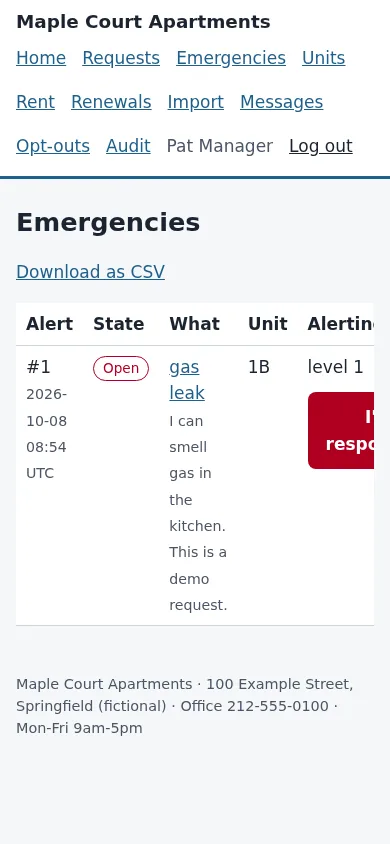
The Emergencies page lists an alert raised by a request that mentions a gas smell, with its state, unit and alert level, and an I'm responding button for staff. -
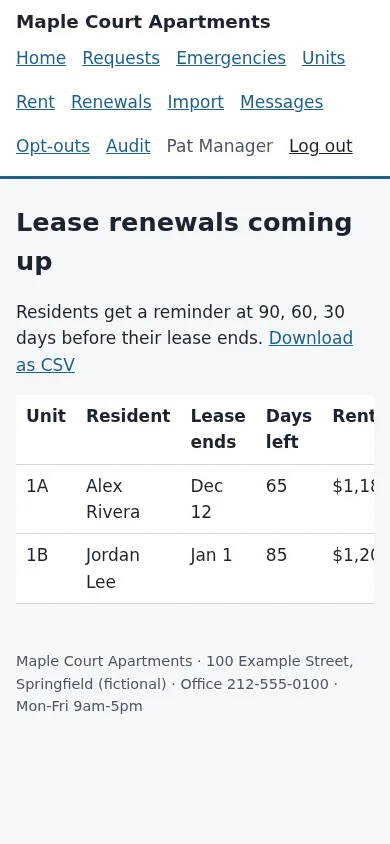
The renewals page lists leases that end soon, with the unit, resident, end date, days left and rent. It says residents get a reminder at 90, 60 and 30 days before their lease ends.


Back to the AI property manager page for what it does, what it does not do and where it stands.
Want to see it with your own details?
Tell us what you run and what you would want on these screens. We will answer by email.