Available
A tour of the service reminder texts tool
The screens an owner or counter staff member uses. Every screen below is the real app running on made-up demo data, and nothing was sent.
Every screen on this page was captured on October 8, 2026 from the app running on demo data: invented names, addresses and numbers. No real person or business appears, and nothing was sent to anyone. On a phone, the wider staff tables scroll sideways, so some columns sit off screen in the narrow pictures.
What the owner sees
-
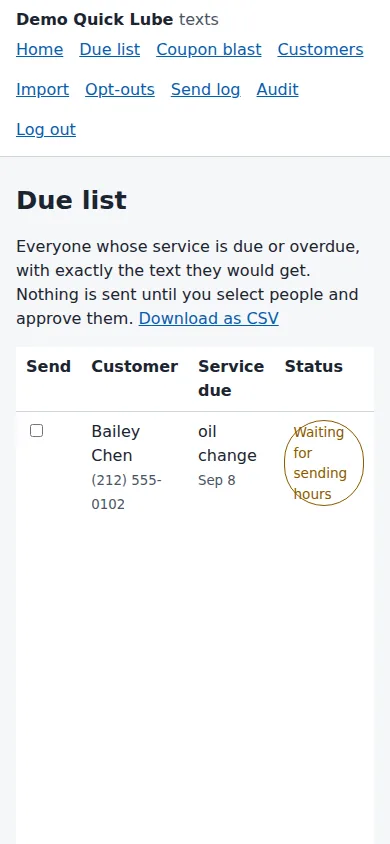
The Due list shows each customer whose service is due, the exact text they would get, and a status. Blocked rows say why, for example no consent recorded or opted out. The page says nothing is sent until people are selected and approved. -
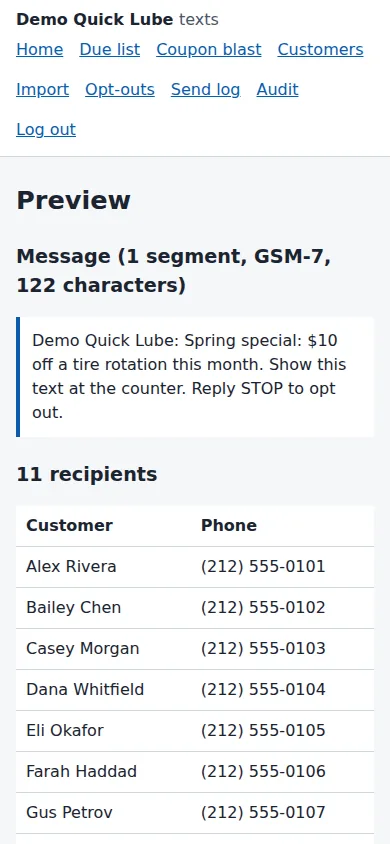
The coupon blast preview shows the exact message with the business name and the STOP line added, its length, and the full list of recipients before anything is sent. -
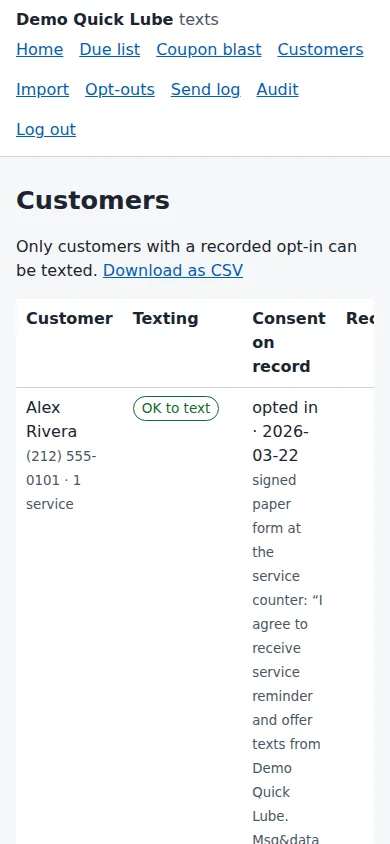
The Customers page shows who can be texted and the consent on record for each person: the date, how it was given and the exact wording. -
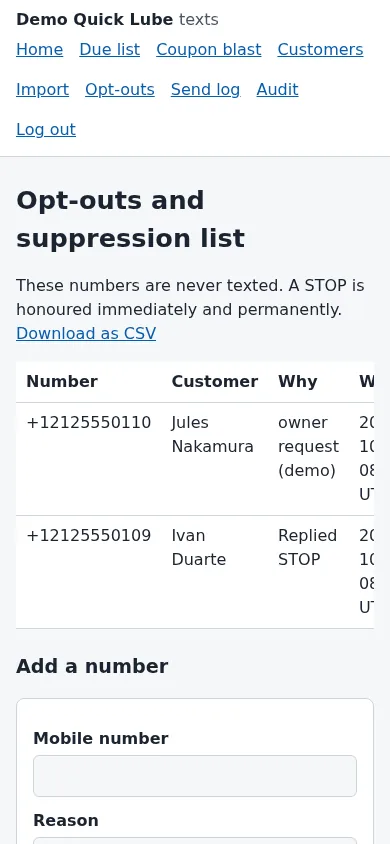
The Opt-outs page lists numbers that are never texted, why each was added and when. A form below adds another number. -
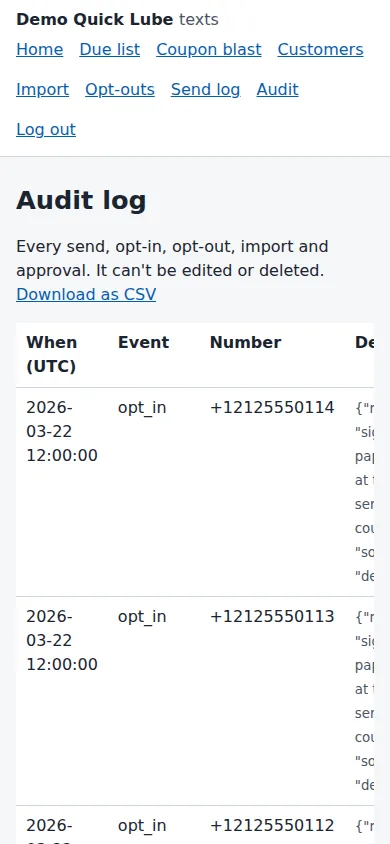
The Audit log lists opt-ins, opt-outs and suppressions with the time and number. The page says it can't be edited or deleted.


Back to the Service reminders & coupon texts page for what it does, what it does not do and where it stands.
Want to see it with your own details?
Tell us what you run and what you would want on these screens. We will answer by email.